


Extractly desktop application
Extractly Steps
Extractly Steps
Turn real Windows work into a guide people can follow.
Capture meaningful clicks and Windows context, polish every screenshot, hide sensitive details, and export professional documentation without uploading the project.
One payment · lifetime license · one active Windows device
Purchasing opens with the official release
Purchasing is not available yet. It will open only after the official release.
Local-first projects
Ready as soon as your payment is confirmed
Capture meaningful clicks and Windows context, polish every screenshot, hide sensitive details, and export professional documentation without uploading the project.
- Capture the steps that matterRecord each meaningful click with the right app and window details, with manual capture whenever you need it.
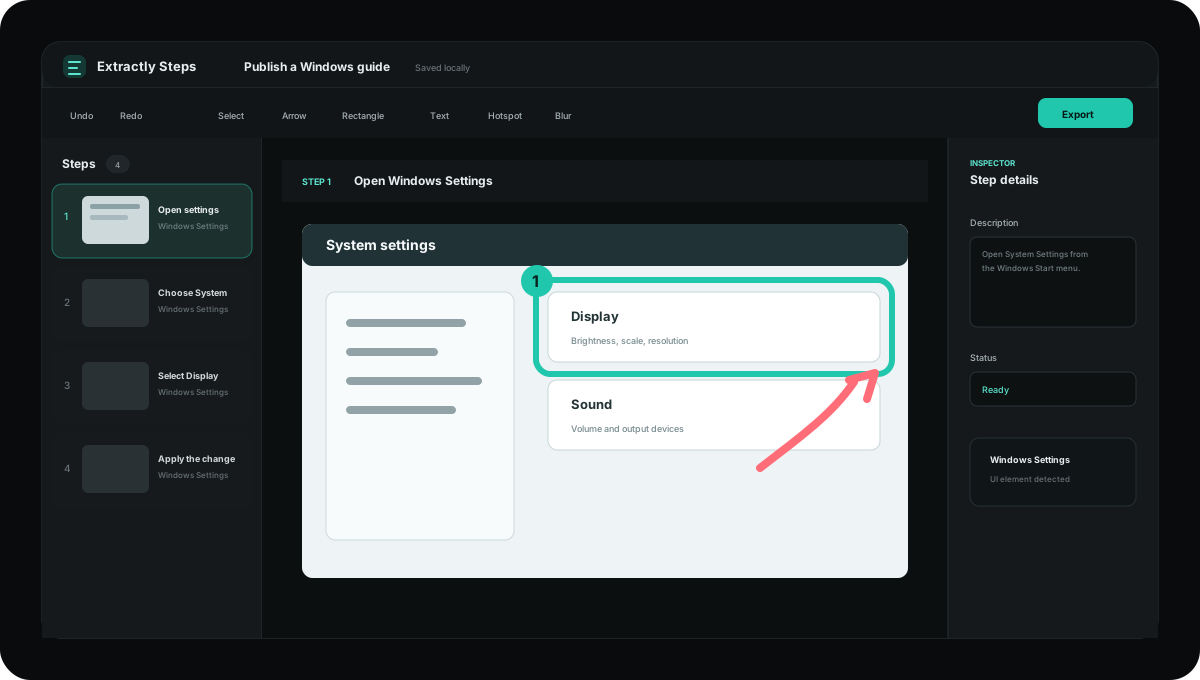
- Edit every screenshotArrows, shapes, text, numbered callouts, highlights, blur, step reordering, deletion recovery, and private notes.
- Export in the format you needSave your guide as HTML, PDF, Markdown, JSON, or a complete ZIP that is easy to archive or share.
- Private by designProjects stay on your PC. Typed text and password values are never stored, and capture can pause over sensitive apps.
Private by design
Projects stay on your PC. Typed text and password values are never stored, and capture can pause over sensitive apps.
Ready as soon as your payment is confirmed
Download Extractly Steps for Windows · Activate it with the code sent to your email · Use it for life on one active Windows device · Get future product updates at no extra cost
- Type
- Desktop apps
- Price
- $69
- Platform
- Windows 10/11 · x64
- License
- Proprietary license
- Version
- 1.0.0
- Status
- Coming soon
REAL PRODUCT TOUR
See the complete workflow before you buy
These are real Extractly Steps screens: choose what to capture, refine each step, protect sensitive details, and export locally.
01
Your local workspace
Start a recording, create a blank guide, or continue a project saved on this PC.